Set Up Instructions
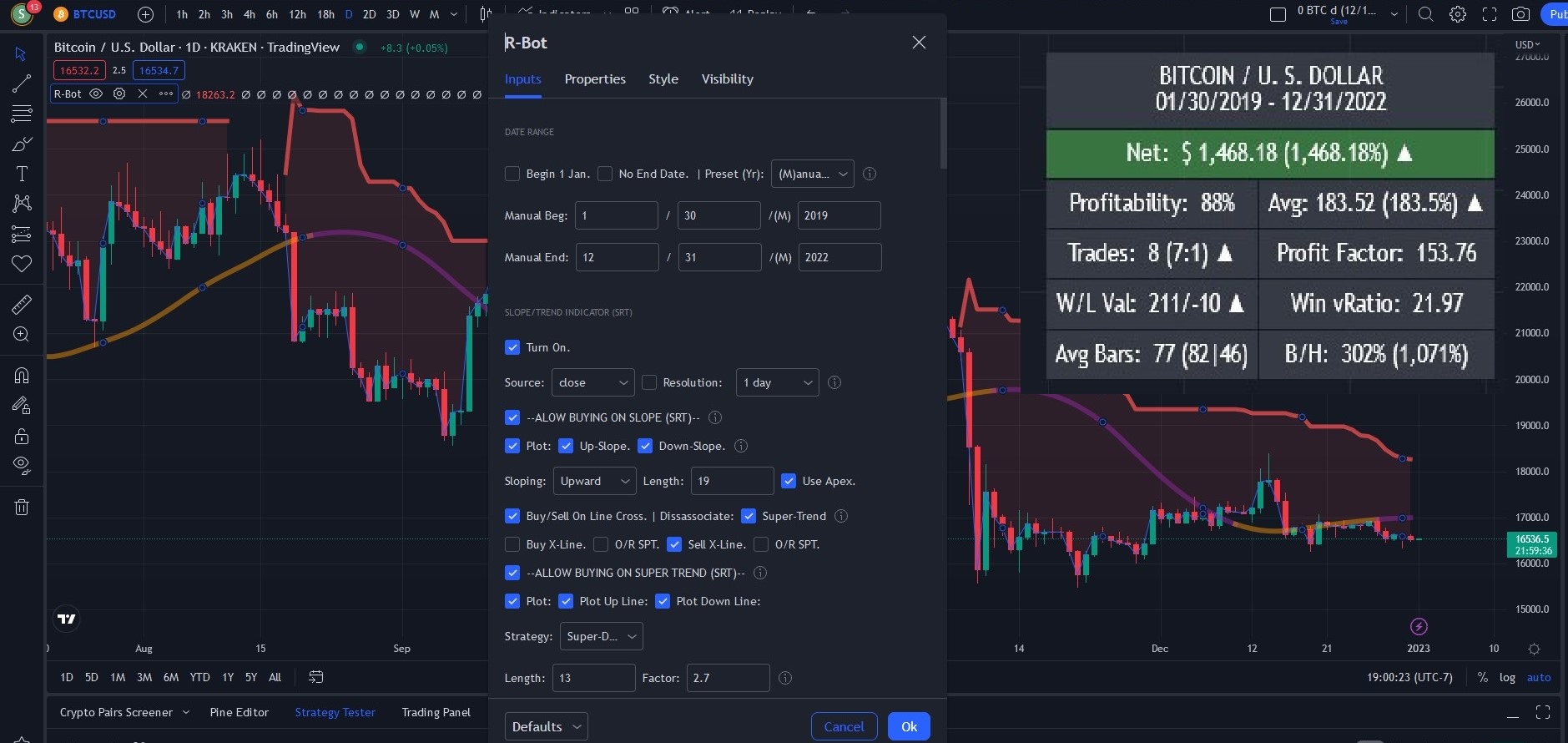
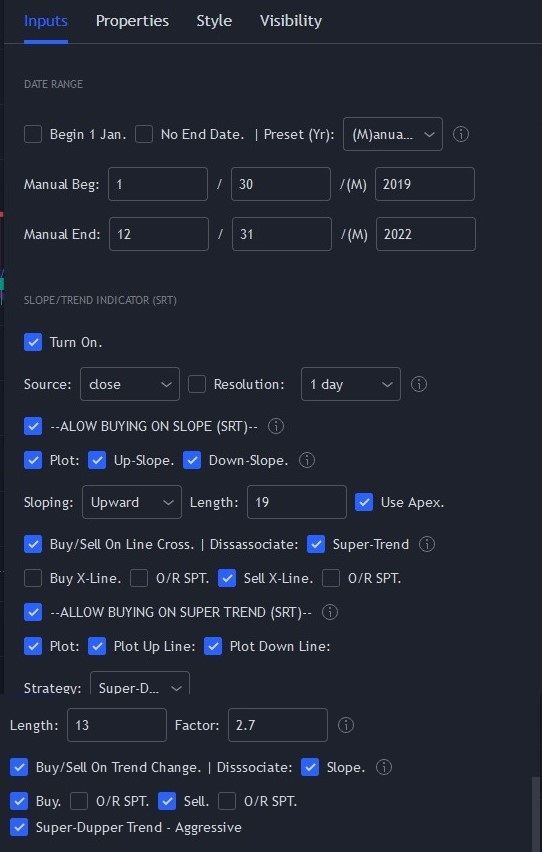
These instructions show you how to duplicate the example bot setting for BTC/USD (Kraken) as shown on TradingView. To ensure your setup is the same as this one, do the following:
- Set the date fields (in the bot) exactly as the image shows–uncheck the Begin Jan 1 and No End Date boxes and set Preset (Yr) to manual; and set the Manual Begin and Manual End dates as shown below.
- Check that your Scoreboard (top right of plot) displays the same information as ours.
IMPORTANT: Our example setting are just a starting point. Never rely on our examples or assume they are investing or trading advice. You are solely responsible for bot set ups, back testing, and investments or trading decisions and actions.
Strategy Comment:
April 27, 2025 Update
This setup did not prove itself after 2021. Remember, the Market Rhythm Bot is not a set and forget system; because, the market can change for a variety of reasons.
It’s always good practice to review the bot’s set up and make appropriate adjustments. In this case, the Bitcoin market likely changed with the introduction of Exchange Traded Funds and more institutional and professional trades.
This example is left in place to demonstrate the importance of review an maintenance of one’s bot settings.
Original Text Follows
At present, Bitcoin is in a bear market and we set the bot to be conservative. We are not attempting to take advantage of volatility. Therefore in this configuration, we only used the Slope/Trend Indicator. Sometimes simple is best.